
How to Delete Facebook Page Permanently (2026 Guide)
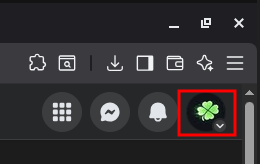
Step 1: Open Your Profile Menu
Click your profile icon in the top-right corner of Facebook.
This opens the account dropdown menu.
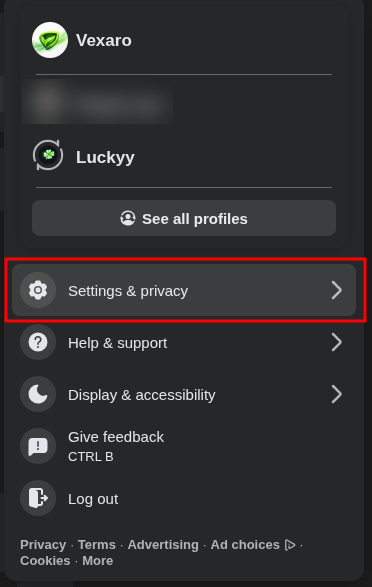
Step 2: Go to Settings & Privacy
In the dropdown menu, click:
Settings & privacy
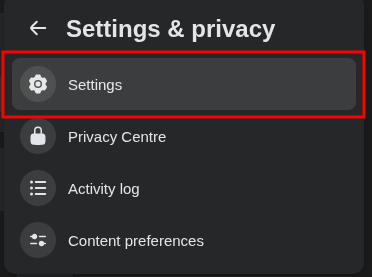
Step 3: Click Settings
From the Settings & privacy menu, select:
Settings
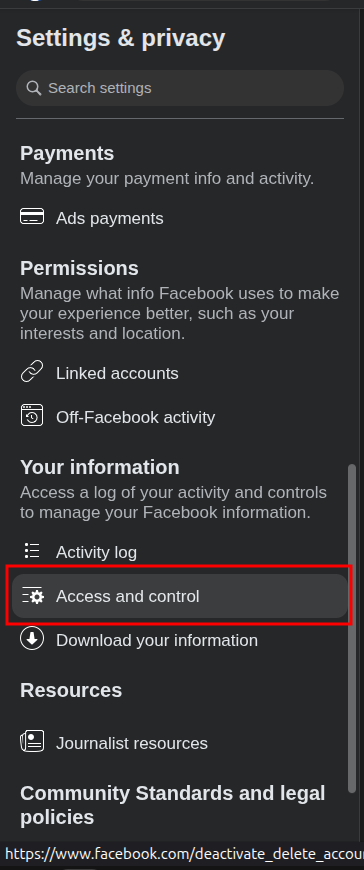
Step 4: Open Access and Control
Scroll down to the Your information section.
Click: Access and control
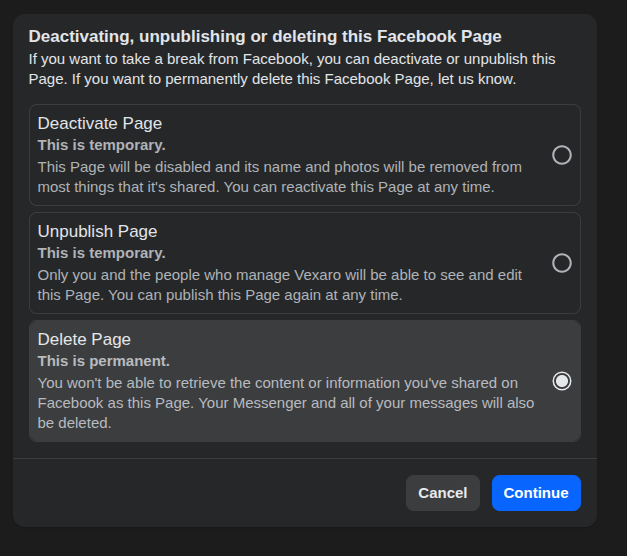
Step 5: Choose Delete Page
You will see three options:
- Deactivate Page (temporary)
- Unpublish Page (temporary)
- Delete Page (permanent)
Select:
Delete Page (This is permanent)
Then click Continue.
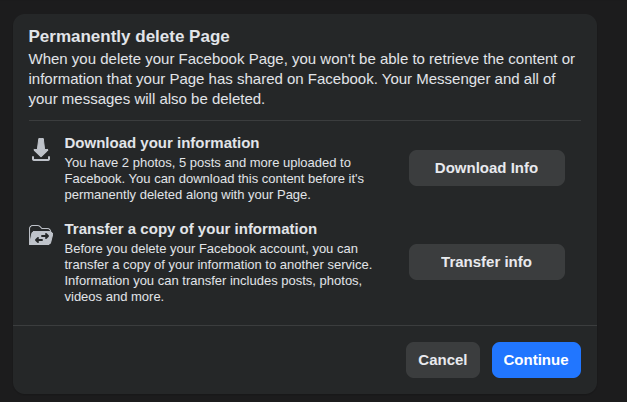
Step 6: Download or Transfer Your Information (Optional)
Before deleting, Facebook gives you the option to:
- Download your page data
- Transfer a copy of your information
If you want a backup, click Download Info first.
When ready, click Continue.
Step 7: Confirm Deletion
Facebook will ask you to confirm your decision.
After confirming, your page will enter a deletion period. During this time:
- The page is disabled
- You may still be able to cancel deletion
- After the grace period, deletion becomes permanent
Important Notes
- Deleting a Page is different from deleting a personal Facebook account.
- Messenger messages linked to the Page will also be removed.
- Once permanently deleted, the Page cannot be restored.
Read the full article: https://luckyy.uk/how-to-permanently-delete-a-facebook-page-step-by-step-guide/

 English
 Arabic
 French
 Spanish
 Portuguese
 Deutsch
 Turkish
 Dutch
Dutch
 Russian
 Romaian
 Portuguese (Brazil)
 Greek
Greek