
100+ Platform Username OSINT Checker
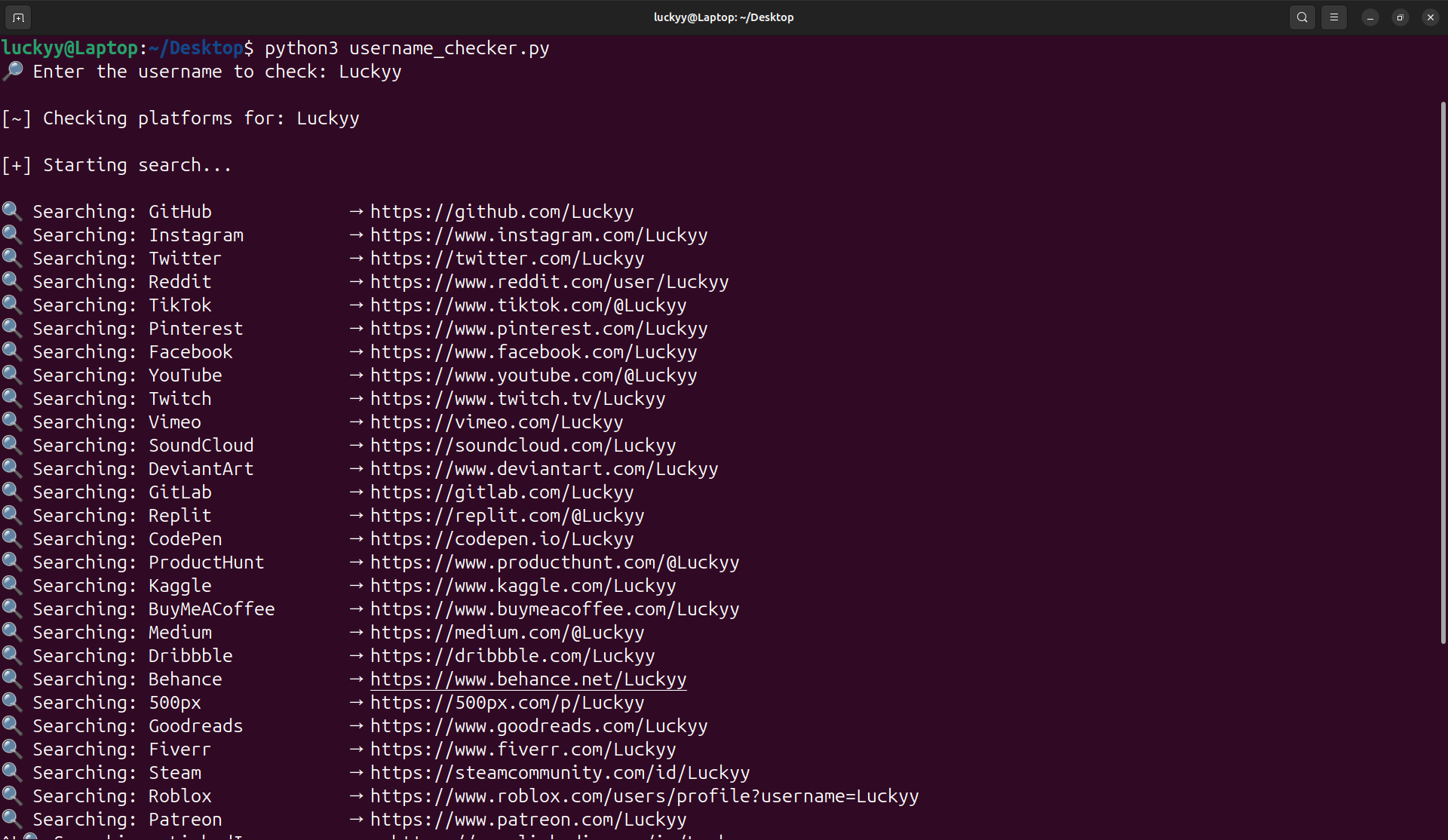
I’ve released a lightweight Python-based Username OSINT Checker designed to quickly identify where a username exists across more than 100 platforms.
Username reuse remains one of the most common digital footprint patterns. The same handle across social, developer, gaming, and marketplace platforms can unintentionally link identities and expand exposure.
This tool automates that initial reconnaissance step.
What It Does
- Scans 100+ major platforms
- Supports social, developer, gaming, NFT, and community sites
- Optional adult-platform inclusion toggle
- Lightweight and fast execution
- Exports findings automatically
- Runs locally without external API dependencies
Simply enter a username and the script checks platform profile URLs for existence indicators.
Why It Matters
In OSINT and security research, identifying username reuse is often the first step in:
- Digital footprint mapping
- Brand impersonation detection
- Exposure analysis
- Red team reconnaissance
- Identity correlation
Automating this process significantly reduces manual effort and provides a quick visibility layer into online presence.
Built For
- Security researchers
- OSINT analysts
- Bug bounty hunters
- Brand protection teams
- Digital investigators
The tool is intentionally lightweight and extensible. It can be expanded with concurrency, response validation logic, proxy rotation, or integrated into larger reconnaissance workflows.
Availability
The Username OSINT Checker is now available via Luckyy’s Tech Hub.
Future updates will focus on improved detection accuracy, concurrency, and enhanced result validation.
Legal Notice
This tool is intended for educational and legitimate investigative use only. Always respect platform terms of service and applicable laws when conducting reconnaissance activities.
Read the full article: https://luckyy.uk/100-platform-username-osint-checker/

 English
 French
 Spanish
 Portuguese
 Deutsch
 Turkish
 Dutch
Dutch
 Italiano
 Russian
 Romaian
 Portuguese (Brazil)
 Greek
Greek