
Why Homelabs Can Be Dangerous (If You’re Not Careful)
Homelabs are popular for a reason. They’re fun, educational, and give you full control over your own tech. Many developers, sysadmins, and hobbyists use them to learn networking, servers, and self-hosting.
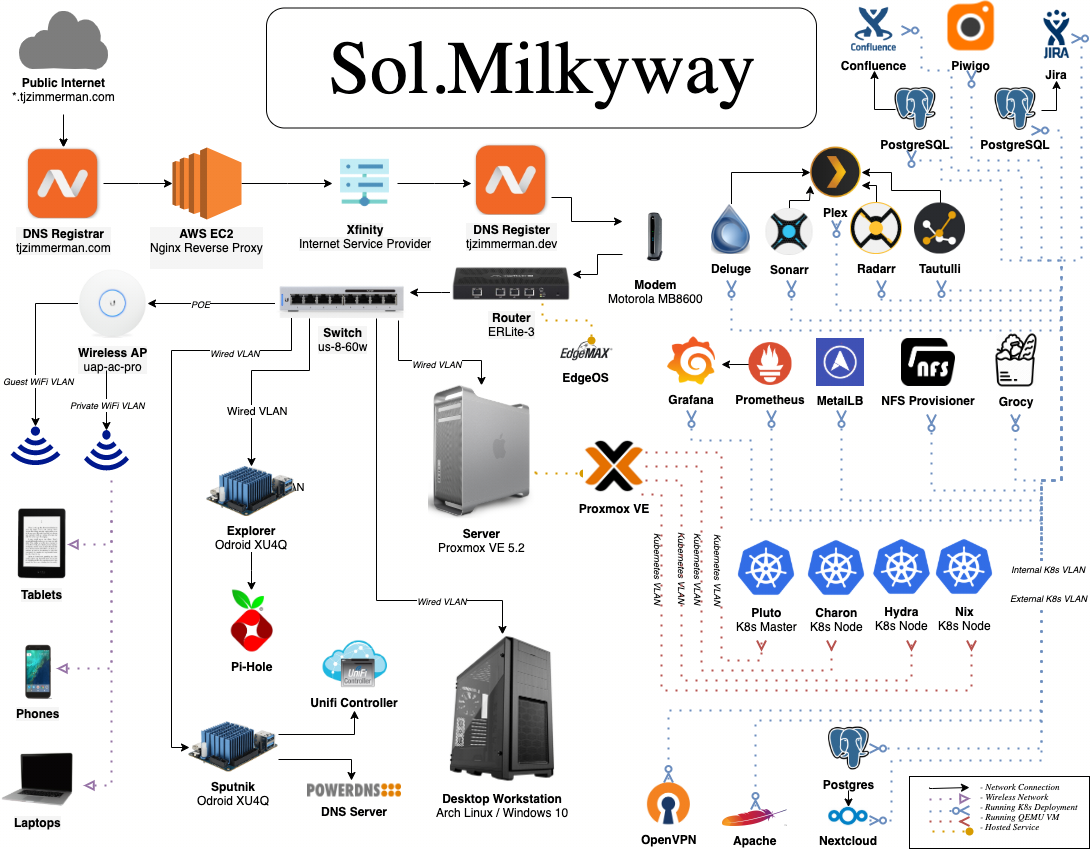
But there’s a side that often gets ignored: homelabs can be risky — especially when exposed to the internet.
This doesn’t mean “don’t run a homelab”.
It means understand the risks before they bite you.
1. Exposing Your Home Network to the Internet
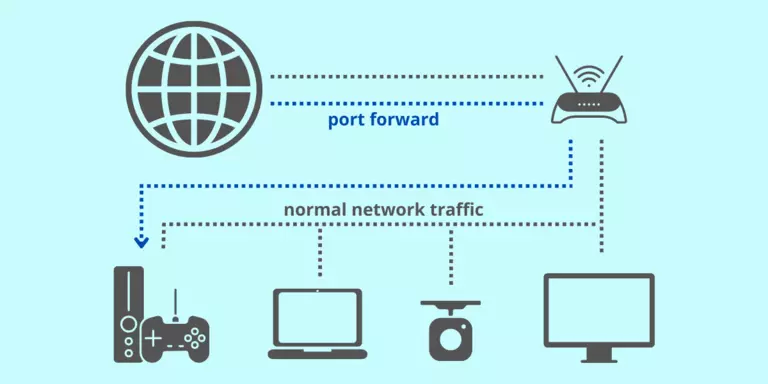
The most common mistake is port forwarding.
When you forward ports from your router to a server:
-
You’re punching holes in your firewall
-
Anyone on the internet can attempt to connect
-
Bots constantly scan IP ranges for open services
Many homelabs expose:
-
SSH
-
Web panels
-
Game servers
-
Admin dashboards
If any of those are misconfigured, outdated, or weakly protected, they can be compromised within hours.
2. Home IP Addresses Are Easy Targets
Unlike data centres, home connections:
-
Don’t have enterprise-grade firewalls
-
Aren’t monitored 24/7
-
Often share IP reputation with other household devices
If your homelab is attacked:
-
Your entire home internet can be affected
-
You may get DDoS’d
-
Your ISP could temporarily block your connection
Some ISPs even prohibit server hosting in their terms.
3. Weak Authentication Is Common
Homelabs often start casual:
-
Default passwords
-
Simple SSH keys
-
Exposed admin panels
-
No rate limiting
Attackers don’t brute-force manually — they automate it.
Without:
-
Fail2Ban
-
Firewalls
-
Key-only SSH
-
Strong passwords
You’re relying on luck.
4. Outdated Software Is a Silent Risk
Homelabs run lots of services:
-
Docker containers
-
Game panels
-
Web apps
-
Media servers
If you:
-
Forget updates
-
Don’t track CVEs
-
Run abandoned projects
You may be hosting known vulnerabilities.
Attackers actively scan for these — especially popular self-hosted tools.
5. Data Loss Is Easier Than People Realise
Homelabs rarely have:
-
Off-site backups
-
Redundant disks
-
Power protection
Common problems:
-
Drive failure
-
Accidental deletion
-
Corruption
-
Power cuts
When it’s your own server, you are the disaster recovery plan.
6. Legal and Privacy Risks
Some people unknowingly host:
-
Copyrighted media
-
Public file shares
-
Services used by others
If misused:
-
Your IP address is linked
-
Complaints go to you
-
You’re responsible, even unintentionally
Homelabs blur the line between hobby and responsibility.
7. False Sense of Security
This is the most dangerous part.
Homelabs feel safe because:
-
They’re at home
-
You set them up yourself
-
“Nobody would target me”
But automated attacks don’t care who you are.
If you’re exposed, you’re scanned.
How to Run a Homelab Safely
Homelabs aren’t bad — unsafe homelabs are.
Basic safety rules:
-
Don’t expose services unless necessary
-
Use a VPN instead of port forwarding
-
Enforce key-only SSH
-
Use firewalls and rate limiting
-
Keep everything updated
-
Separate homelab from your home devices
-
Back up off-site
For public services, many people move them to:
-
VPS
-
Cloud servers
-
Managed hosting
…and keep homelabs private.
Final Thought
Homelabs are fantastic learning tools.
But the moment you expose them to the internet, they stop being a hobby and start becoming infrastructure — with real risks attached.
If you treat them casually, they can be dangerous.
If you treat them seriously, they can be incredibly powerful.

 Arabic
 French
 Spanish
 Portuguese
 Deutsch
 Turkish
 Dutch
Dutch
 Italiano
 Russian
 Romaian
 Portuguese (Brazil)
 Greek
Greek