
Shared Hosting vs VPS: What’s the Real Difference?
If you’re building a website, you’ll almost always face this choice early on: Shared Hosting or VPS.
Most explanations online are overly technical or sales-driven.
This one isn’t.
Let’s break it down simply, so you can choose what actually fits your site.
What Is Shared Hosting?
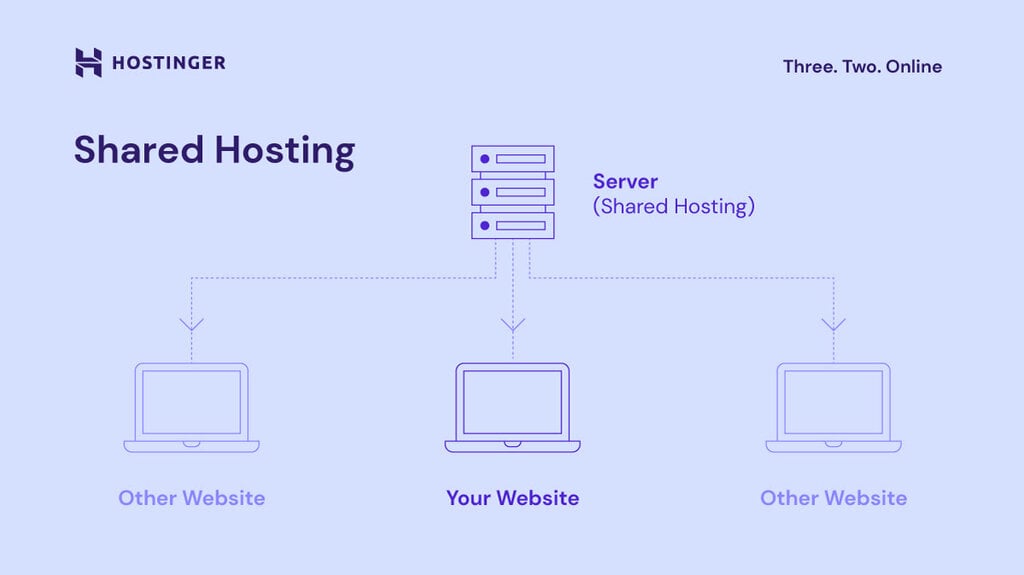
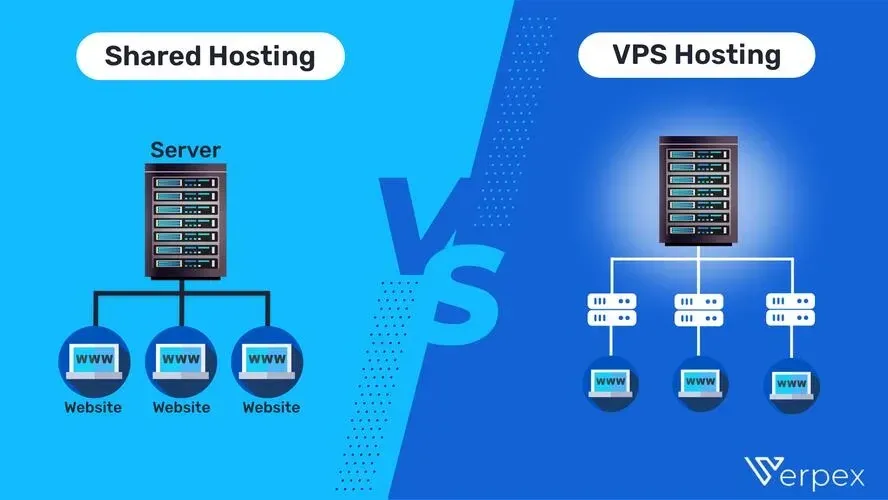
Shared hosting means your website lives on a server with hundreds (sometimes thousands) of other websites.
All of those sites share:
-
CPU
-
RAM
-
Disk space
-
Network resources
Think of it like living in a shared house:
-
Cheap
-
Easy
-
But you don’t control what your housemates do
Pros of Shared Hosting
-
Very cheap
-
Beginner-friendly
-
No server management
-
Good for small, static sites
Cons of Shared Hosting
-
Slower when other sites spike traffic
-
Limited control
-
Security risks from “neighbour” sites
-
Can’t handle growth well
Shared hosting works — until it doesn’t.
What Is a VPS?
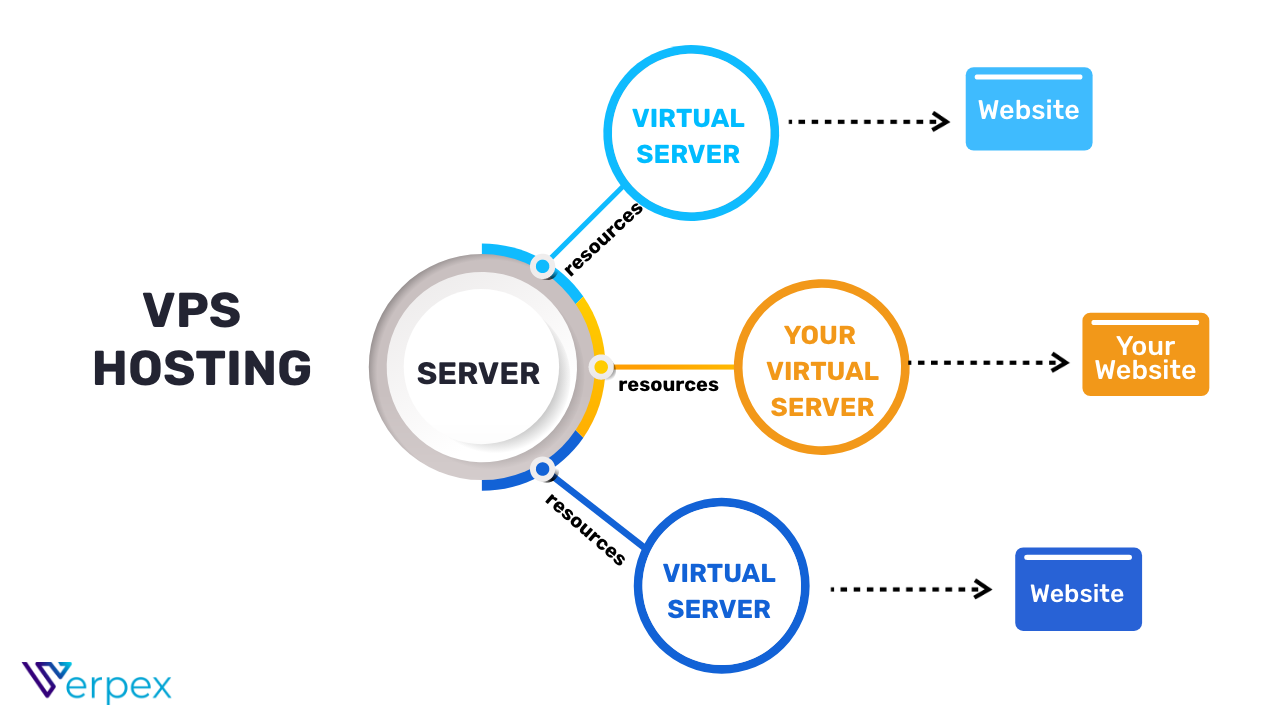
A VPS (Virtual Private Server) is still on a shared physical machine, but your resources are isolated.
You get:
-
Your own CPU allocation
-
Your own RAM
-
Your own virtual environment
-
Root access (full control)
Think of it like your own flat in an apartment building:
-
More privacy
-
More control
-
More responsibility
Pros of a VPS
-
Faster and more stable
-
Resources are guaranteed
-
Much better for growth
-
More secure
-
Full control over software
Cons of a VPS
-
Costs more than shared hosting
-
Requires basic server knowledge
-
You’re responsible for setup and maintenance
The REAL Difference (What Actually Matters)
🔹 Performance
-
Shared hosting: Your site slows down if others are busy
-
VPS: Your performance is consistent
🔹 Control
-
Shared hosting: Very limited
-
VPS: Full control (you choose what runs)
🔹 Security
-
Shared hosting: One hacked site can affect others
-
VPS: Isolated environment = safer
🔹 Scalability
-
Shared hosting: Poor
-
VPS: Easy to scale up as traffic grows
Which One Should You Choose?
Choose Shared Hosting if:
-
You’re just starting out
-
Your site is small or informational
-
Traffic is low
-
You want zero technical work
Choose a VPS if:
-
You’re running a web app or community
-
You expect growth
-
Performance matters
-
You want control and flexibility
-
You’re tired of “random slowdowns”
For social platforms, tools, or communities, a VPS is almost always the better long-term choice.
Why Many Sites Start on Shared Hosting… Then Move
Shared hosting is often used because it’s:
-
Cheap
-
Marketed heavily
-
“Good enough” at first
But as soon as you need:
-
Speed
-
Reliability
-
Customisation
-
Stability
People move to a VPS.
That transition is extremely common.
Final Thought
Shared hosting isn’t bad — it’s just limited.
A VPS isn’t overkill — it’s freedom with responsibility.
If your site matters to you, grows over time, or hosts users instead of just pages, a VPS stops being a luxury and starts being a necessity.

 English
 Arabic
 French
 Spanish
 Portuguese
 Deutsch
 Dutch
Dutch
 Italiano
 Russian
 Romaian
 Portuguese (Brazil)
 Greek
Greek